Want to know where your electricity bill comes from? Wi-Fi-connected power monitors can show usage across your home, at individual circuits, or at a single outlet—depending on the hardware you choose.
These 10 picks span panel-mounted monitors and energy-tracking smart plugs. The best fit depends on what you need to measure, how comfortable you are with installation, and whether you want to control devices as well as track them.
Best 10 Wi Fi Connected Power Monitors Picks for 2026
Selected-Circuit Pick
WiFi Home Energy Monitor with 3 CT Clamps
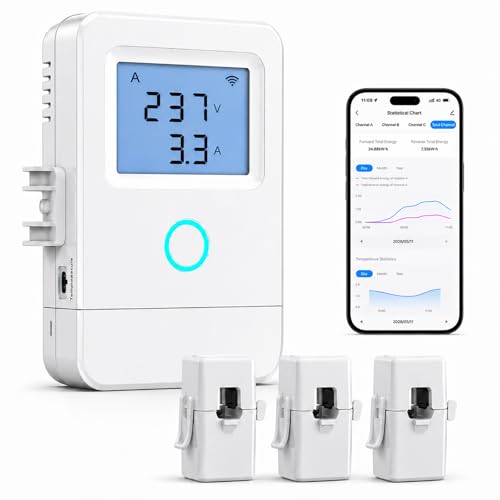
- Tracks up to three selected circuits
- Smart Life/Tuya app shows usage trends
- Temperature alerts above 50°C
Best For: Monitoring a few major home or workshop circuits
Whole-Home Pick
Emporia Vue 3 with 16 Circuit Sensors
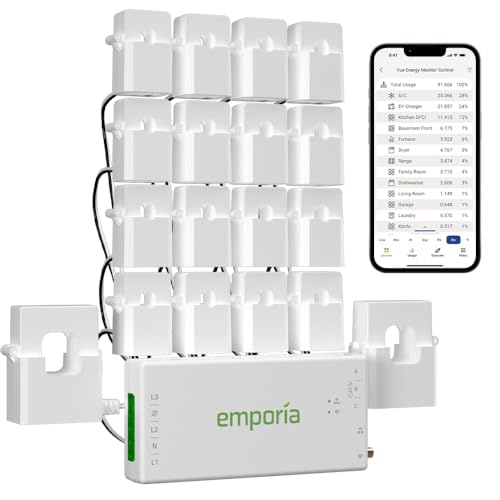
- Includes sixteen 50A branch sensors
- UL Listed; supports solar monitoring
- App offers automation and data export
Best For: Detailed whole-home and branch-circuit tracking
Four-Outlet Pick
Tapo P115 Energy-Monitoring Smart Plugs (4-Pack)

- Four plugs track individual devices
- Energy charts and bill estimates
- Scheduling and voice control
Best For: Comparing usage across four plug-in devices
Two-Outlet Pick
Tapo P115 Energy-Monitoring Smart Plugs (2-Pack)

- Two plugs monitor individual devices
- App shows charts and cost estimates
- Supports schedules and voice control
Best For: Tracking energy use at two outlets
Best for Shared-Housing Billing
SEM-Meter 16-Circuit Energy Monitor

- Includes 16 circuit sensors
- Tracks costs by circuit and rate period
- Supports local Home Assistant MQTT
Best For: Shared-household electricity allocation
Best Plug-In Option

- Monitors one plug-in device
- Remote and voice-controlled switching
- UL certified with a two-year warranty
Best For: Single-appliance monitoring and control
Best UL-Listed Panel Monitor
Emporia Vue 3 with 8 Circuit Sensors
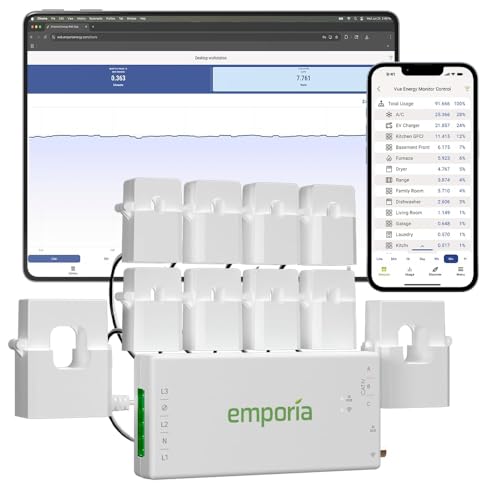
- UL and CE listed
- Eight circuit sensors included
- Tracks solar and net metering
Best For: App-based whole-home and circuit monitoring
Best for Smart-Home Outlets
Kasa KP125MP4 Matter Smart Plug 4-Pack

- Four energy-monitoring smart plugs
- Matter support across major platforms
- 15A/1800W maximum per plug
Best For: Plug-in devices in a Matter-compatible smart home
Best for Panel-Level Tracking
SONOFF POWCT Smart Power Meter

- Split-core CT senses up to 100A
- Stores up to six months of data
- 2A dry contact supports contactor control
Best For: Monitoring a selected household circuit
Best for Dual-Circuit Insights
LyteSolar 2×120A Energy Monitor
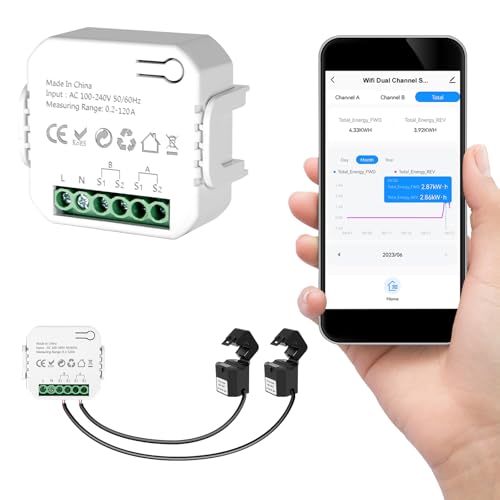
- Two independent 120A channels
- Bidirectional power tracking
- Tuya/Smart Life history and live readings
Best For: Two major circuits or solar and backup-power monitoring
Selected-Circuit Pick – WiFi Home Energy Monitor with 3 CT Clamps
Among wi fi connected power monitors, this panel-mounted model is suited to tracking a few major loads rather than every circuit. Its three included 80A CT clamps let you compare selected circuits through the Smart Life or Tuya app over 2.4GHz Wi-Fi.
Best For: Households or workshops that want app-based monitoring of up to three selected circuits.
Pros:
- Three CT clamps track selected circuits simultaneously.
- App displays voltage, current, power, energy use, and historical trends.
- External temperature sensor can trigger alerts above 50°C.
Cons:
- Electrical-panel wiring may require a qualified electrician.
- Remote on/off control applies to one connected circuit, with relay control up to 15A.
Choose this if three targeted measurements cover your priorities; it is not presented as an all-circuit monitoring kit.
Whole-Home Pick – Emporia Vue 3 with 16 Circuit Sensors
For shoppers comparing wi fi connected power monitors at the electrical-panel level, the Emporia Vue 3 offers broader coverage with sixteen included 50A branch sensors. It also supports solar and net-metering monitoring, with usage data available through the Emporia app.
Best For: Households seeking whole-home monitoring plus detailed readings from up to sixteen branch circuits.
Pros:
- Includes sixteen branch sensors for tracking individual circuit loads.
- UL Listed and specified at ±2% sensor accuracy.
- App offers usage reporting, notifications, automation settings, and data export.
Cons:
- Requires installation inside an electrical panel and a 2.4GHz Wi-Fi internet connection.
- One-second data is available only while the app is open and retained for three hours.
This is the strongest fit here for extensive circuit-level visibility, provided its panel installation and cloud-data retention terms suit your setup.
Four-Outlet Pick – Tapo P115 Energy-Monitoring Smart Plugs (4-Pack)
If you need wi fi connected power monitors for individual plug-in devices, this four-pack of Tapo P115 smart plugs avoids electrical-panel installation. Each plug provides energy-use charts in the Tapo app alongside remote control and scheduling.
Best For: Tracking and controlling several plug-in devices across four outlets.
Pros:
- Four included plugs provide device-by-device energy statistics.
- Scheduling can shift operation to off-peak hours.
- Supports remote control and Alexa or Google Assistant voice commands.
Cons:
- Measures connected plug-in devices, not entire circuits or whole-home consumption.
- Each plug is rated for 15A and 1800W.
Pick the four-pack when you have multiple appliances to compare; its value lies in outlet-level insight and control rather than panel-wide coverage.
Two-Outlet Pick – Tapo P115 Energy-Monitoring Smart Plugs (2-Pack)
For wi fi connected power monitors focused on just a couple of appliances, this two-pack of Tapo P115 plugs offers outlet-level energy tracking without panel wiring. The Tapo app presents usage charts and cost estimates while also providing remote control.
Best For: Monitoring and scheduling two plug-in devices.
Pros:
- Includes two plugs with individual energy-use tracking.
- Offers bill estimates and programmable off-peak scheduling.
- Supports app control plus Alexa and Google Assistant voice commands.
Cons:
- Does not monitor hardwired appliances or complete circuits.
- Each plug is rated for 15A and 1800W.
Choose this pack when two monitored outlets are enough; the four-pack is the more direct option if you need to cover more plug-in devices.
Best for Shared-Housing Billing – SEM-Meter 16-Circuit Energy Monitor
Among wi fi connected power monitors, the SEM-Meter is a practical choice when you need to track individual circuits and allocate electricity costs across rooms. Its 16 included 50A sensors connect to a panel-mounted monitor, with usage and cost information available through an Android or Apple app.
Best For: Landlords and shared households that want circuit-level usage and time-of-use cost tracking.
Pros:
- Includes 16 sensors for monitoring individual circuits.
- Supports customizable peak, off-peak, and holiday electricity rates.
- Offers local MQTT operation without the vendor cloud or internet when used with Home Assistant.
Cons:
- Requires installation inside an electrical panel and a 2.4GHz Wi-Fi connection for app monitoring.
- Panels with access only to busbars need separately available flexible sensors.
Choose this model for detailed room or circuit accounting rather than simple outlet monitoring. Its local-only option is useful if you already run Home Assistant with MQTT.
Best Plug-In Option – Kasa KP115 Smart Plug Mini
If you want to check one appliance rather than install sensors in a breaker panel, the energy-monitoring Kasa KP115 is a straightforward entry among wi fi connected power monitors. Plug it into a 120V outlet, connect it to 2.4GHz Wi-Fi, and use the Kasa app to switch the attached device remotely.
Best For: Monitoring and remotely switching a single plug-in appliance.
Pros:
- Plug-in setup avoids electrical-panel installation.
- Works with Alexa and Google Assistant for voice control.
- UL certified, with a two-year warranty.
Cons:
- Monitors one outlet, not your whole home or individual panel circuits.
- Requires 2.4GHz Wi-Fi and is rated for up to 15A at 120V.
The KP115 makes sense for a targeted appliance check with remote on/off control. For a breakdown of several circuits, a panel-based monitor is the more appropriate type of product.
Best UL-Listed Panel Monitor – Emporia Vue 3 with 8 Circuit Sensors
The Emporia Vue 3 is a panel-installed choice among wi fi connected power monitors for buyers who want whole-home readings alongside eight monitored circuits. Its clamp-on sensors feed the Emporia app, which also supports solar and net-metering views.
Best For: Households seeking UL-listed, app-based whole-home and circuit monitoring.
Pros:
- UL and CE listed, with sensors specified at ±2% accuracy.
- Includes eight circuit sensors in this configuration.
- App settings support time-of-use, peak-demand, and excess-solar energy management.
Cons:
- Requires 2.4GHz Wi-Fi with an internet connection.
- One-second readings are available only while the app is open and are retained for three hours.
The Vue 3 fits buyers who value certified panel hardware and ongoing app reporting. Check its internet requirement and data-retention periods if offline access or long-term high-resolution readings matter to you.
Best for Smart-Home Outlets – Kasa KP125MP4 Matter Smart Plug 4-Pack
Among wi fi connected power monitors, this four-pack is a practical choice for tracking energy use at individual outlets while adding remote on/off control. Its Matter compatibility makes it especially useful if your smart home spans multiple supported platforms.
Best For: Monitoring and controlling plug-in devices across a Matter-compatible smart home.
Pros:
- Tracks energy usage over time for connected devices.
- Supports Apple Home, Alexa, Google Home, and SmartThings through Matter.
- Compact design helps keep adjacent outlets accessible; rated for up to 15A/1800W.
Cons:
- Measures devices plugged into its outlets, not whole-home circuits.
- Remote app control depends on connectivity; the stated offline capability applies to configured local Matter communication.
Choose this pack when outlet-level readings and cross-platform control matter more than monitoring an electrical panel. Check each appliance against the plug’s 15A/1800W limit.
Best for Panel-Level Tracking – SONOFF POWCT Smart Power Meter
If you want wi fi connected power monitors for a room or appliance circuit rather than a single outlet, the SONOFF POWCT is designed for installation in a home electrical panel. Its split-core current transformer senses up to 100A, and the product also supports switching through an external contactor.
Best For: Tracking a selected household circuit and retaining usage records for later review.
Pros:
- Split-core CT opens around a conductor without cutting the wire.
- Stores up to six months of usage data, with file export available.
- Provides a 2A dry-contact relay output for use with a contactor.
Cons:
- Panel installation is more involved than plugging in an outlet monitor.
- The 2A dry contact requires a separate contactor for load switching as described.
This is the more circuit-focused option when historical records are important. Plan the panel installation and any contactor-based switching before buying.
Best for Dual-Circuit Insights – LyteSolar 2×120A Energy Monitor
For buyers comparing wi fi connected power monitors for larger household loads, this LyteSolar model offers two independent 120A sensing channels. The Tuya or Smart Life app shows real-time electrical readings and historical records, while bidirectional monitoring helps reveal power flow in solar or backup-power setups.
Best For: Comparing usage across two major circuits or observing power flow in a home with solar or backup power.
Pros:
- Two clamp-style sensors monitor separate circuits without cutting wires.
- Shows power, voltage, current, and power factor, with hourly through yearly history.
- Supports bidirectional power monitoring.
Cons:
- Setup requires a 2.4GHz Wi-Fi network and the Tuya or Smart Life app.
- Its two channels limit simultaneous monitoring to two selected circuits.
Pick this model if two-circuit visibility and bidirectional readings suit your electrical setup. Its clamp sensors simplify attachment to conductors, but you still need to plan where the monitor and sensors will be installed.
How We Picked the Best Wi Fi Connected Power Monitors
We focused on the practical differences among these 10 listings: whole-home versus circuit-level versus outlet-level measurement, included sensor capacity, installation demands, app-based tracking, and useful extras such as smart-home integration or overload protection. Two listings name the Emporia Vue 3, and the Tapo P115 appears in two pack sizes; those entries should be compared for price and package contents rather than treated as different monitoring approaches.
Quick Comparison: Which Type Fits?
Whole-home monitors use sensors around electrical conductors to show broader household consumption. They are a starting point for tracking total usage, but a basic setup may not identify which appliance caused a spike. Circuit-level systems add sensors for individual circuits, offering more detail when you want to investigate heating, kitchen, or other loads. Energy-monitoring smart plugs measure devices plugged into them and may add remote on/off control. They are inexpensive to try and easy to move, but cannot measure hardwired appliances or an entire home.
Key Buying Factors for Wi-Fi Connected Power Monitors
Measurement Scope and Sensor Fit
Start with the question you want answered. For a single dehumidifier or entertainment setup, choose an outlet-level plug. For household trends, look at main-panel monitoring; for finding which circuit is responsible, check the number of included circuit sensors. Verify that CT clamp ratings, conductor sizes, panel space, and service configuration suit your electrical setup before ordering. Solar households should confirm that the specific configuration supports the import, export, and generation views they want.
Installation and Electrical Limits
Smart plugs usually avoid panel work, but their amperage and wattage limits still matter; a listed 15A maximum is not a reason to exceed the outlet or device rating. Panel-mounted sensors and wired meters may require work inside an electrical panel. If you are not qualified to do that safely, budget for an electrician. Check whether a product requires a neutral wire, dedicated power, or a compatible panel location.
App Data, Connectivity, and Control
Check what the app actually records: live watts, historical kilowatt-hours, cost estimates, and data-export or retention options may differ. Cost figures depend on how accurately you enter your electricity rate. Confirm Wi-Fi band requirements and whether monitoring continues or stores readings during a network outage. If automation matters, verify compatibility with your chosen platform; monitoring alone does not guarantee remote switching, and a smart plug’s switching features should not be assumed for a panel monitor.
Who Should Buy Which Wi Fi Connected Power Monitors?
Choose a Tapo or Kasa energy-monitoring plug if you rent, want a low-commitment test, or need readings for a few plug-in devices; compare the P115 pack sizes against how many outlets you will use. Choose a whole-home monitor with CT clamps if your priority is tracking overall consumption. Choose a multi-sensor circuit monitor when pinpointing usage by circuit justifies a more involved installation. Consider a wired meter with overload protection only if its wiring, ratings, and control features match the circuit and your installation plans.